Skills & Customization
OpenClaw Skills Security: How to Vet Before You Install
8 min read · Updated 2026-02-24
By DoneClaw Team · We run managed OpenClaw deployments and write from hands-on production experience.
An openclaw skills malicious security check should be mandatory before every installation. Most incidents come from over-trusting third-party tooling.
1. Inspect the Skill Manifest
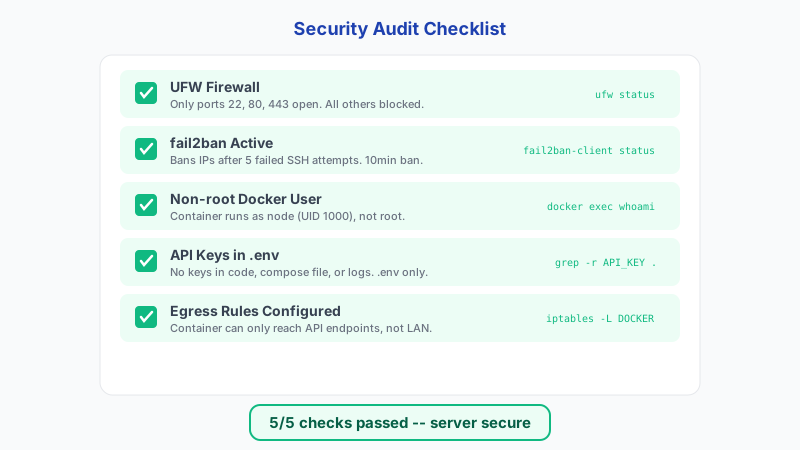
Before installing any third-party skill, read its contents. Skills are markdown files, so you can inspect exactly what instructions the agent will follow. Look for instructions that request shell access, network calls to external URLs, or file operations outside the expected scope. A summarizer skill that asks for shell execution or wide network access is a red flag.
# Inspect a skill file before installing
cat ~/.openclaw/skills/skill-name.md

# Check what skills are currently installed
ls -la ~/.openclaw/skills/

# Search skill files for suspicious patterns
grep -r "curl\|wget\|exec\|eval\|rm -rf" ~/.openclaw/skills/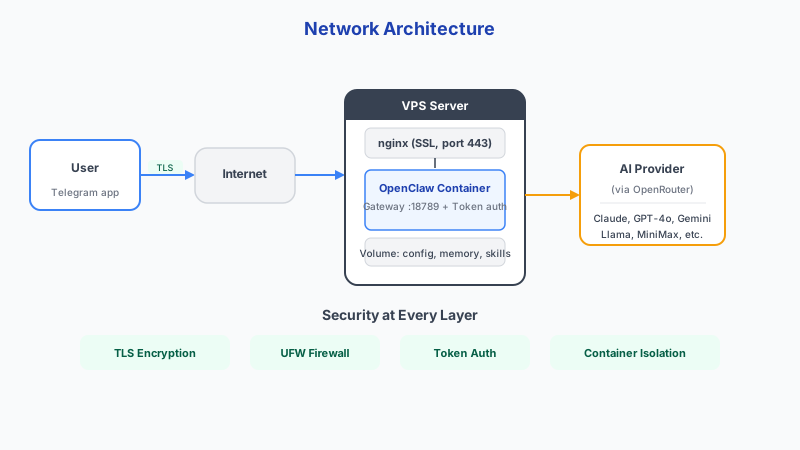
Get your own AI agent today
Persistent memory, channel integrations, unlimited usage. DoneClaw deploys and manages your OpenClaw instance so you just chat.
Get Started2. Review Source and Maintainer Signals
Read the skill source and check who wrote it. Look for a named maintainer with active history, transparent release notes, and no obfuscated logic. Unmaintained skills with broad instructions are risky.
Top container scanning tools to verify skill containers: Trivy (free, scans images, filesystems, and Git repos), Docker Scout (built into Docker Desktop), and Snyk (CI/CD integration with automated fix PRs). Run a scan before deploying any container that includes third-party skills.
- Named maintainer with active history
- Transparent release notes
- No obfuscated scripts or hidden downloads
- Clear data egress documentation
3. Sandbox and Observe Before Production
Test new skills in a network-isolated container first. Capture logs and outbound traffic under realistic test prompts. Only promote to production after verifying the skill behaves as expected and does not make unexpected network calls.
Recent container vulnerabilities highlight why sandboxing matters: November 2025 saw runc container escape CVEs (3 separate vulnerabilities), August 2025 had a Docker Desktop CVSS 9.3 vulnerability, and the GitHub Actions tj-actions supply chain attack affected 23,000+ repos. Keep your runtime patched and scan regularly.
AppArmor controls file and network access while seccomp filters syscalls (blocking roughly 44 of 300+ syscalls by default). They are complementary — use both for defense in depth. Docker applies default AppArmor and seccomp profiles automatically, but you can tighten them further for skill containers.
# Run OpenClaw in a network-isolated sandbox for testing
docker run --network=none \
  -v openclaw-test:/home/node/.openclaw \
  doneclaw/openclaw:latest

# Monitor skill execution in real time
docker logs openclaw-agent --tail 50 -f

# Run with hardened security options
docker run --read-only \
  --security-opt=no-new-privileges \
  --network=none \
  -v openclaw-test:/home/node/.openclaw \
  doneclaw/openclaw:latest

# After testing, compare outbound connections (if network enabled)
docker exec openclaw-agent ss -tunap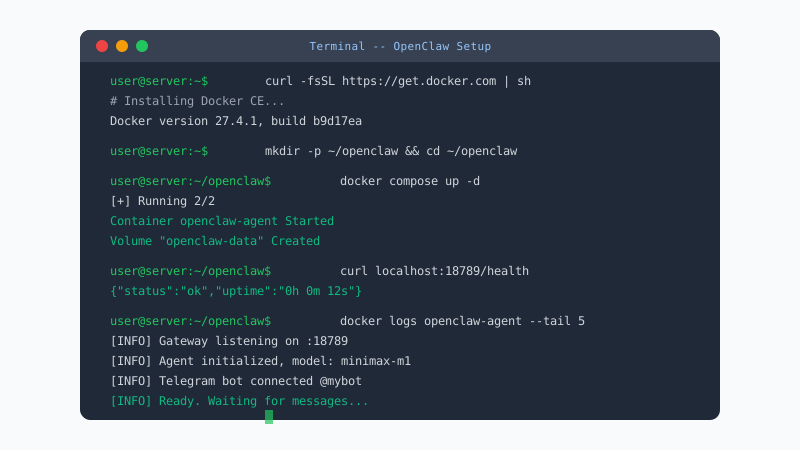
Conclusion
A disciplined review process prevents most avoidable supply-chain risk when installing third-party skills. Read the file, check the permissions, test in an isolated container, and only then promote to production.
Skip the setup? DoneClaw deploys OpenClaw for you — $29/mo with 7-day free trial, zero configuration.
Get your own AI agent today
Persistent memory, channel integrations, unlimited usage. DoneClaw deploys and manages your OpenClaw instance so you just chat.
Get StartedFrequently asked questions
Is open source enough to trust a skill?
No. Open source improves transparency, but you still need permission review, behavior testing, and maintainer validation.
What is the minimum safe process?
Permission review, source scan, isolated test run, outbound traffic check, then staged rollout.